
data.lua
Code: Select all
--data.lua

local farmBasic = table.deepcopy(data.raw["item"]["assembling-machine-1"])

farmBasic.name = "farm"
farmBasic.icons = {
  {
    icon = farmBasic.icon,
    icon_size = farmBasic.icon_size,
    tint = {r=0,g=.9,b=0,a=0.3}
  },
}


-- create the recipe prototype from scratch
local recipe = {
  type = "recipe",
  name = "farm",
  enabled = true,
  energy_required = 8, -- time to craft in seconds (at crafting speed 1)
  ingredients = {
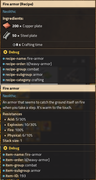
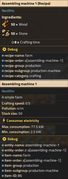
    {type = "item", name = "wood", amount = 50},
    {type = "item", name = "stone", amount = 50}
  },
  results = {{type = "item", name = "farm", amount = 1}}
}

data:extend{farmBasic, recipe}

local fireArmor = table.deepcopy(data.raw["armor"]["heavy-armor"]) -- copy the table that defines the heavy armor item into the fireArmor variable

fireArmor.name = "fire-armor"
fireArmor.icons = {
  {
    icon = fireArmor.icon,
    icon_size = fireArmor.icon_size,
    tint = {r=1,g=0,b=0,a=0.3}
  },
}

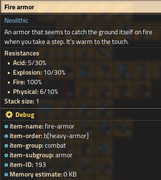
fireArmor.resistances = {
  {
    type = "physical",
    decrease = 6,
    percent = 10
  },
  {
    type = "explosion",
    decrease = 10,
    percent = 30
  },
  {
    type = "acid",
    decrease = 5,
    percent = 30
  },
  {
    type = "fire",
    decrease = 0,
    percent = 100
  }
}

-- create the recipe prototype from scratch
local recipe = {
  type = "recipe",
  name = "fire-armor",
  enabled = true,
  energy_required = 8, -- time to craft in seconds (at crafting speed 1)
  ingredients = {
    {type = "item", name = "copper-plate", amount = 200},
    {type = "item", name = "steel-plate", amount = 50}
  },
  results = {{type = "item", name = "fire-armor", amount = 1}}
}

data:extend{fireArmor, recipe}
Code: Select all
[item-name]
fire-armor=Fire armor
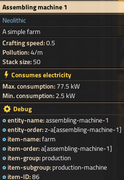
farm=Farm


[item-description]
fire-armor=An armor that seems to catch the ground itself on fire when you take a step. It's warm to the touch.
farm=A simple farm
tl;dr: how change green "assembling machine 1" to "farm"

