I am creating some entities that are visually identical other than their colour.
Is there significant memory or performance difference if I use one sprite sheet with tint mask Vs seperate pre-coloured sprite sheets for each?
If I do use tint masks, what is the impact of leaving the (mostly transparent) mask sheet the same dimensions as main sprite sheet?
In other words, is it worth the effort of cropping each mask frame to remove the excess transparent bits, and then use Shift to align the mask & sprite in game?
Cheers,
Moon
Tint mask memory & performance

Re: Tint mask memory & performance
Sprites referenced from multiple entities will be loaded just once, if that is what are you asking. So base sprite sheet + one tinted layer, used for 3 different entities is less video memory used than each entity having unique spritesheet.moon69 wrote: Fri Mar 08, 2019 1:39 pmIs there significant memory or performance difference if I use one sprite sheet with tint mask Vs seperate pre-coloured sprite sheets for each?
Unless you use flags = { "no-crop" }, the game will crop out transparent areas on edges so you won't save any extra memory by doing that by yourself. That said ... smaller spritesheets load faster.moon69 wrote: Fri Mar 08, 2019 1:39 pmIf I do use tint masks, what is the impact of leaving the (mostly transparent) mask sheet the same dimensions as main sprite sheet? In other words, is it worth the effort of cropping each mask frame to remove the excess transparent bits, and then use Shift to align the mask & sprite in game?
Re: Tint mask memory & performance
Thanks Posila.
Just to be sure I understand... the above tinted layer can have a different tint applied in each entity and still get the less memory benefit?posila wrote: Fri Mar 08, 2019 2:41 pmSo base sprite sheet + one tinted layer, used for 3 different entities is less video memory used than each entity having unique spritesheet.
Re: Tint mask memory & performance
Yes. Tint is applied runtime during rendering.moon69 wrote: Fri Mar 08, 2019 4:38 pmJust to be sure I understand... the above tinted layer can have a different tint applied in each entity and still get the less memory benefit?


Re: Tint mask memory & performance
That again brings up the question bothering me since I discovered tinting masks.posila wrote: Fri Mar 08, 2019 2:41 pmSprites referenced from multiple entities will be loaded just once, if that is what are you asking. So base sprite sheet + one tinted layer, used for 3 different entities is less video memory used than each entity having unique spritesheet.moon69 wrote: Fri Mar 08, 2019 1:39 pmIs there significant memory or performance difference if I use one sprite sheet with tint mask Vs seperate pre-coloured sprite sheets for each?
Unless you use flags = { "no-crop" }, the game will crop out transparent areas on edges so you won't save any extra memory by doing that by yourself. That said ... smaller spritesheets load faster.moon69 wrote: Fri Mar 08, 2019 1:39 pmIf I do use tint masks, what is the impact of leaving the (mostly transparent) mask sheet the same dimensions as main sprite sheet? In other words, is it worth the effort of cropping each mask frame to remove the excess transparent bits, and then use Shift to align the mask & sprite in game?
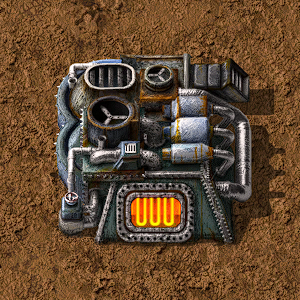
Why are assembling machines not using tinted bodies?
My Mods: mods.factorio.com
Re: Tint mask memory & performance
Each assembling machine has different gears & gizmo animations on top if you look closely.
Re: Tint mask memory & performance
hence why i explicitly wrote tinted bodies.
My Mods: mods.factorio.com
Re: Tint mask memory & performance
Artists don't like to use tints too much as it doesn't give them enough control over all the hues in the result.

Re: Tint mask memory & performance
But such thing as electric furnace _can_ be done with normal layer and second, tinted layer (some blue for vanilla).posila wrote: Sun Mar 10, 2019 9:15 pm Artists don't like to use tints too much as it doesn't give them enough control over all the hues in the result.
It would be much easier for all modders and all mods will be more vanilla-looking, without super experience in sprite creation.