[0.17.7] GUI scaling problems in 1366px resolution
Posted: Thu Mar 07, 2019 7:45 pm
when playing on 0.16, the GUI scale and text sizes seemed fine. but in the 0.17 releases, there are some minor problems. I should note that I'm playing on a laptop with 1366x768 resolution, on full screen mode.
the automatic gui scaling that the game uses is 75%, which fits everything nicely on the screen. But the texts become too small and hard to read.
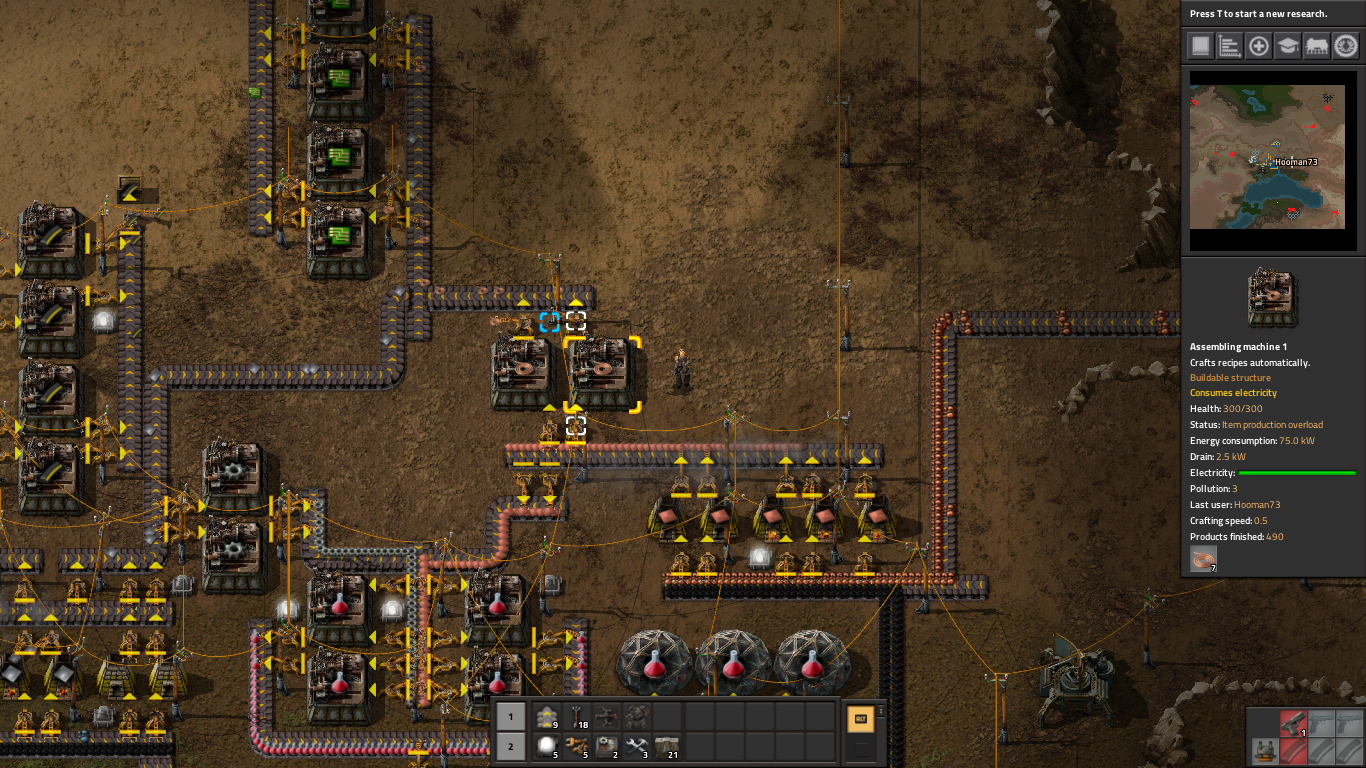
in this example from the new campaign, you can see that the texts are hard to read.
the solution seems easy, i just need the change the scaling to a bigger number. so I went with 100%. this makes some stuff a bit too large. like the action menu thingy that comes up on the side when you are hovering on something in the game. this isn't a huge problem, but sometimes some of the text and graphics go out of the screen.

as you can see here, the steam icon on the bottom right is halfway out of the screen. I remember seeing some of the text go off the screen too, but that was earlier in the campaign and on 0.17.5, so i don't know if that particular problem was fixed separately or if it was with some special building from the first part of the campaign.
my suggestion is, if possible, adding a scaling option of 80 or 90 percent, or adding the option to change the text size separately.
the automatic gui scaling that the game uses is 75%, which fits everything nicely on the screen. But the texts become too small and hard to read.
in this example from the new campaign, you can see that the texts are hard to read.
the solution seems easy, i just need the change the scaling to a bigger number. so I went with 100%. this makes some stuff a bit too large. like the action menu thingy that comes up on the side when you are hovering on something in the game. this isn't a huge problem, but sometimes some of the text and graphics go out of the screen.
as you can see here, the steam icon on the bottom right is halfway out of the screen. I remember seeing some of the text go off the screen too, but that was earlier in the campaign and on 0.17.5, so i don't know if that particular problem was fixed separately or if it was with some special building from the first part of the campaign.
my suggestion is, if possible, adding a scaling option of 80 or 90 percent, or adding the option to change the text size separately.