Page 1 of 1
Allow placing GUI elements relative to the "Surface List" GUI
Posted: Mon Sep 21, 2026 7:54 pm
by MeteorSwarm
- 09-21-2026, 12-48-50.png (74.03 KiB) Viewed 310 times
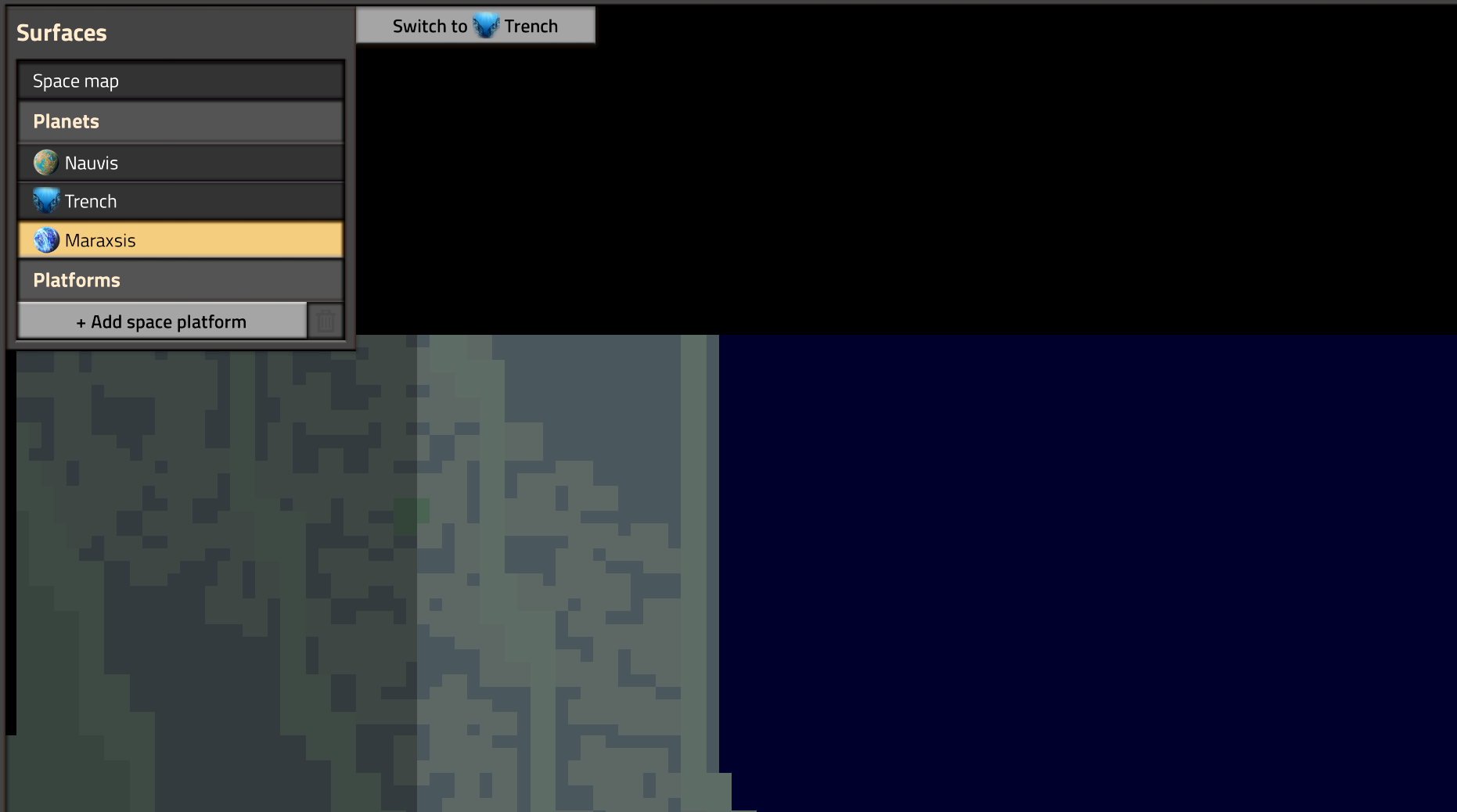
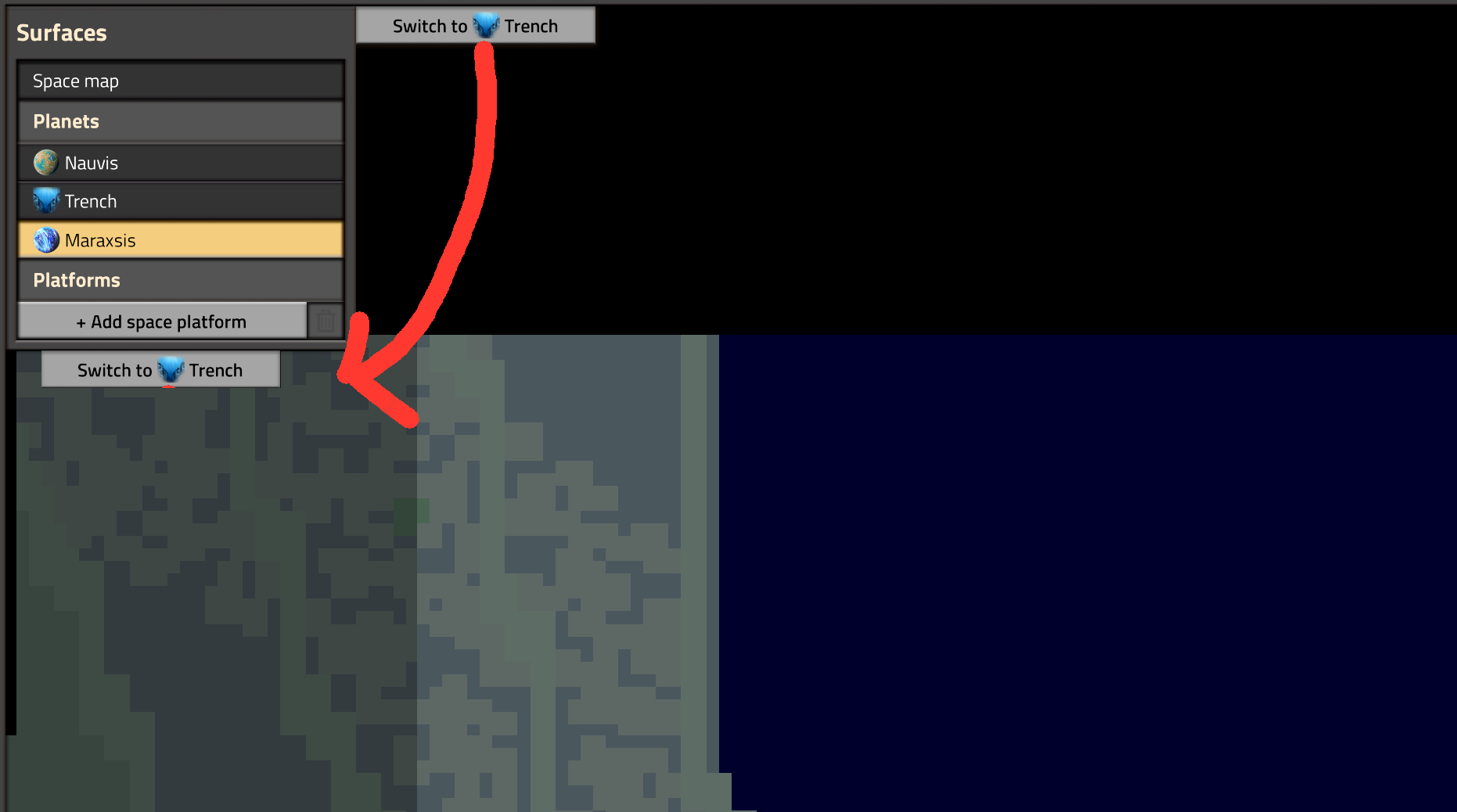
I have recently added a new button to Maraxsis' remote view that enables quickly switching between the surface and trench. I have received feedback suggesting that I should move the button to be below the surface list. I agree with this suggestion, but there is no way to place GUI elements below the surface list. Placing this button element in gui.left results in the button appearing in the same position as it does if I place it in gui.top. I would like an option to place GUI elements relative to the "Surface List" GUI. In this case, this button should be below the GUI.
- gui-element-below-surface-list.png (61.15 KiB) Viewed 310 times
Re: Allow placing GUI elements relative to the "Surface List" GUI
Posted: Mon Sep 21, 2026 7:54 pm
by FluidNatalie
+1
Re: Allow placing GUI elements relative to the "Surface List" GUI
Posted: Mon Sep 21, 2026 8:33 pm
by protocol_1903
+1, this would be nice for "alt surfaces" and different universe viewers
Re: Allow placing GUI elements relative to the "Surface List" GUI
Posted: Tue Sep 22, 2026 3:14 am
by sarge945
While you're there, being able to resize it would be good too. It's too limited with the number of items it can have, especially in 2.1
Re: Allow placing GUI elements relative to the "Surface List" GUI
Posted: Tue Sep 22, 2026 4:47 pm
by protocol_1903
sarge945 wrote: Tue Sep 22, 2026 3:14 am
While you're there, being able to resize it would be good too. It's too limited with the number of items it can have, especially in 2.1
Please put separate feature requests in separate forum posts, otherwise it's likely to get lost.