Page 1 of 1
[raiguard][2.1.8] Japanese Input is invisible.
Posted: Sat Jun 27, 2026 3:20 pm
by aizSubro
hiragana can input .
but Characters are not displaying when inputing.
when [2.1.8]
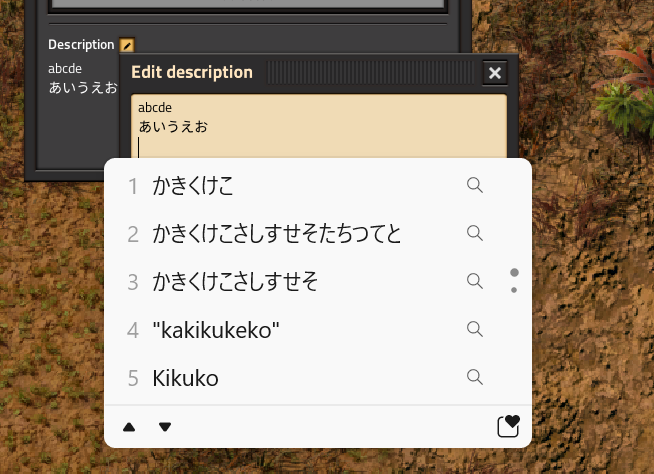
- スクリーンショット 2026-06-28 001603.png (225.75 KiB) Viewed 768 times
when [2.0.77]
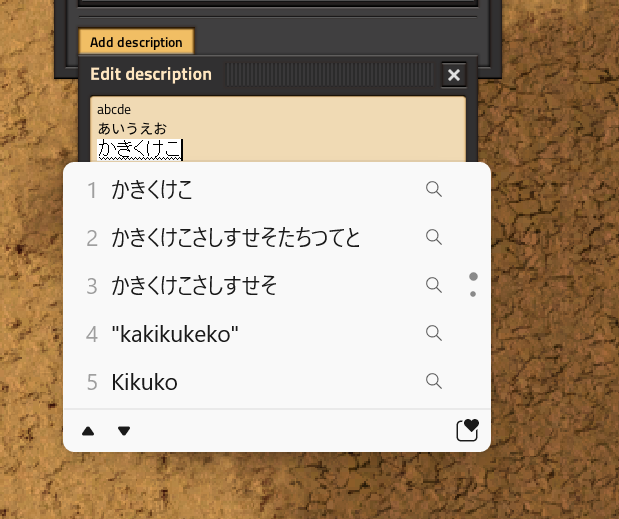
- スクリーンショット 2026-06-28 001830.png (134.55 KiB) Viewed 768 times
Re: [2.1.8] Japanese Input is invisible.
Posted: Fri Jul 17, 2026 8:00 pm
by StrangePan
aizSubro wrote: Sat Jun 27, 2026 3:20 pm
hiragana can input .
but Characters are not displaying when inputing.
when [2.1.8]
スクリーンショット 2026-06-28 001603.png
when [2.0.77]
スクリーンショット 2026-06-28 001830.png
Which platform is this? Windows, Mac, or Linux? And which OS version?
Re: [2.1.8] Japanese Input is invisible.
Posted: Sat Jul 18, 2026 8:01 am
by aizSubro
Steam
Windows 11
IME(ver10.0.26100.8737)
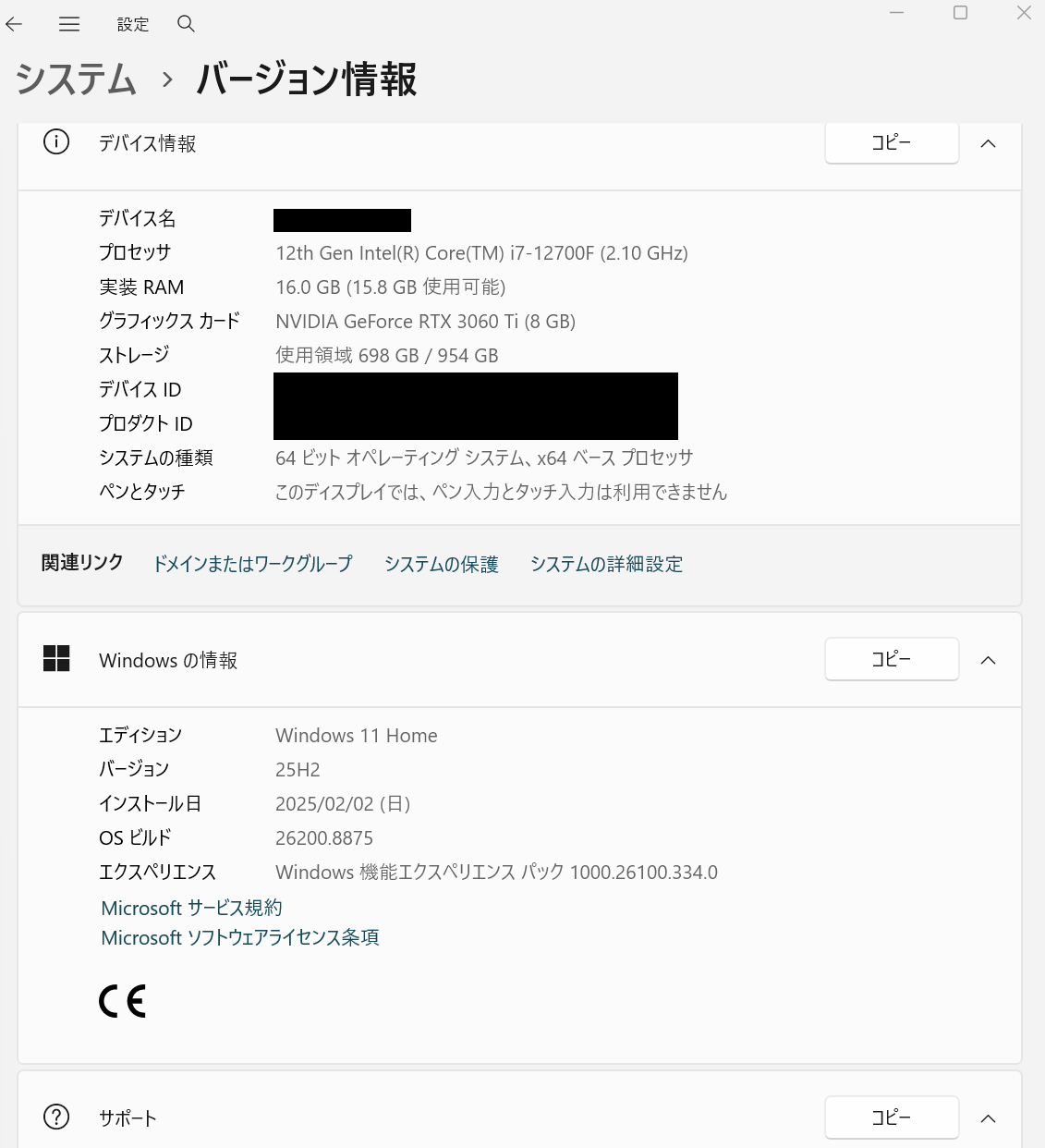
- スクリーンショット 2026-07-18 165320.png (119.44 KiB) Viewed 577 times
Re: [raiguard][2.1.8] Japanese Input is invisible.
Posted: Thu Aug 13, 2026 11:04 pm
by raiguard
I specifically tested this when I updated to SDL3, but only on Windows 10... it's possible this is Windows 11 specific. I will ask someone with Windows 11 to test it.
Re: [raiguard][2.1.8] Japanese Input is invisible.
Posted: Mon Aug 24, 2026 4:10 pm
by phidias0303
it works fine for me. win 11 pro. However I am not using japanese system language.
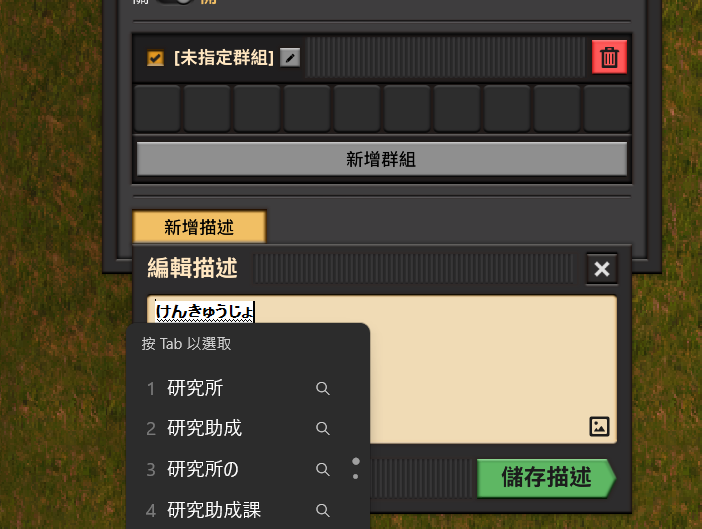
- Screenshot_83.png (117.4 KiB) Viewed 246 times
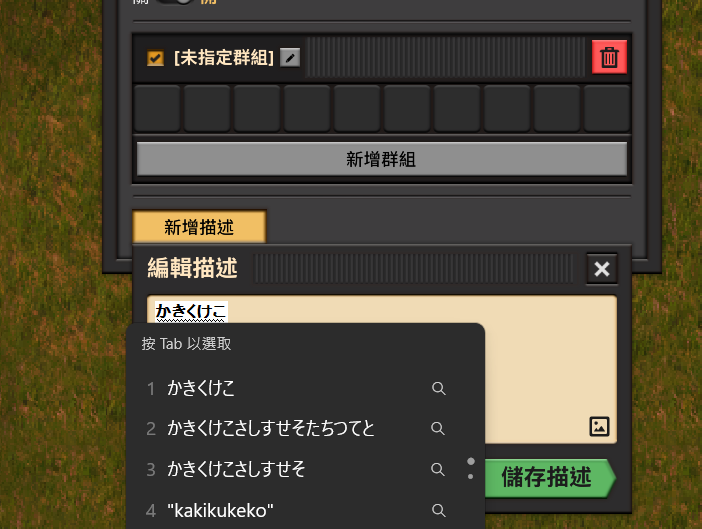
- Screenshot_219.png (100.85 KiB) Viewed 246 times
Re: [raiguard][2.1.8] Japanese Input is invisible.
Posted: Wed Aug 26, 2026 10:04 pm
by aizSubro
I found conditions.
UI size is trigger.
It works fine 125% or more.
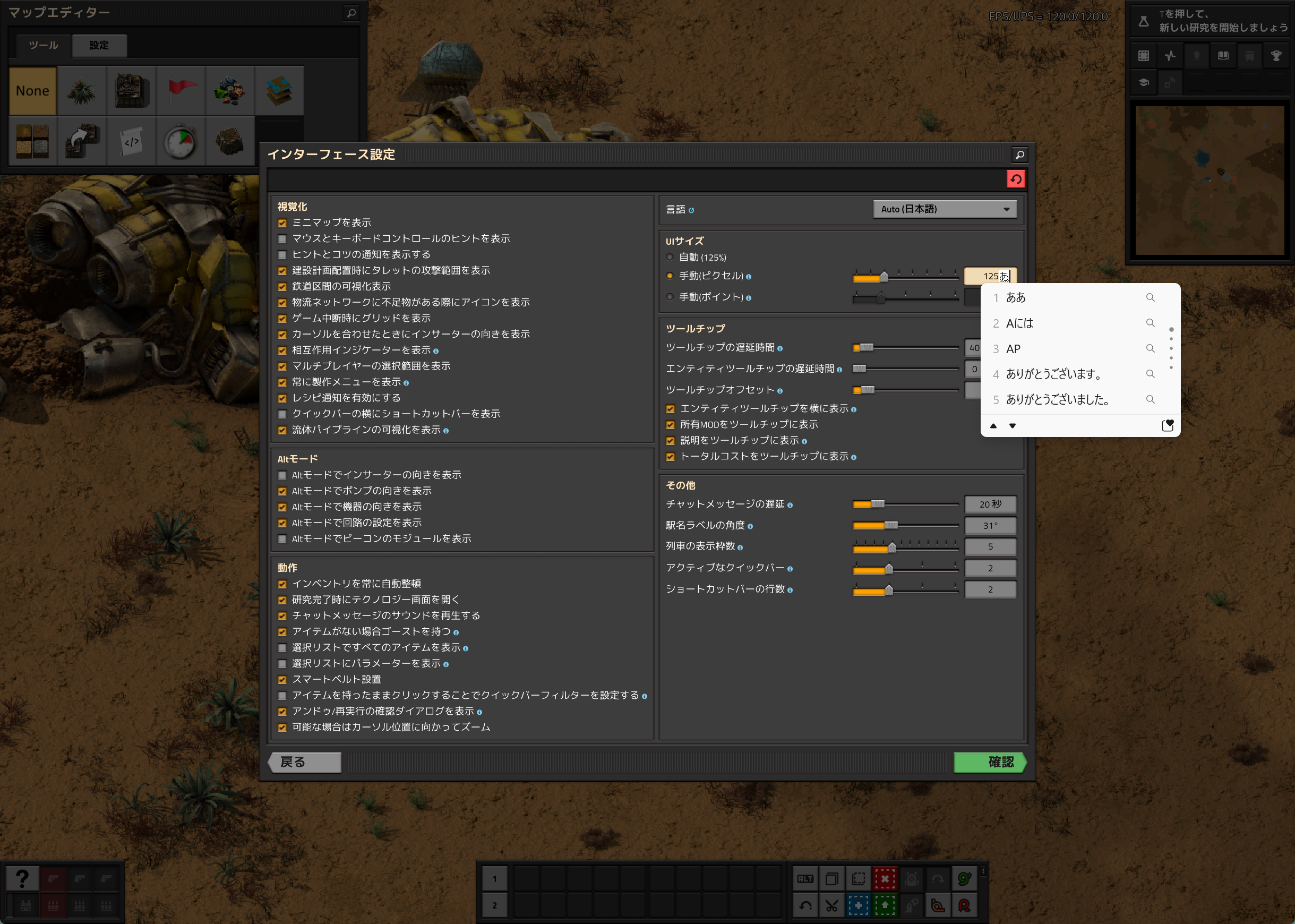
- スクリーンショット 2026-08-27 065907.png (3.11 MiB) Viewed 191 times
It works wrong 100% or less.
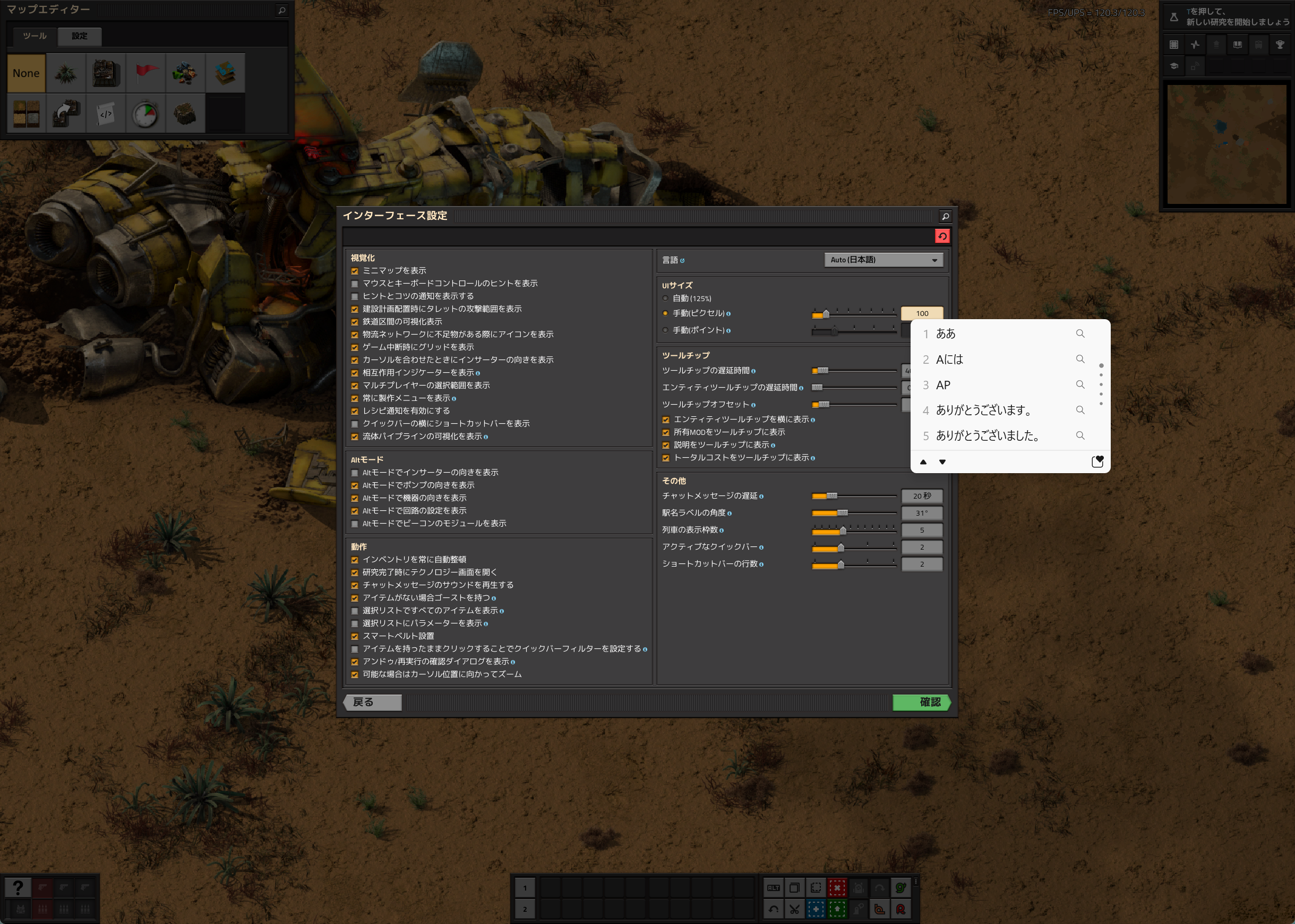
- スクリーンショット 2026-08-27 065851.png (4 MiB) Viewed 191 times