Page 1 of 1
How to change the background color in the GUI for logistics requests?
Posted: Thu Mar 12, 2026 3:33 pm
by flame_Sla
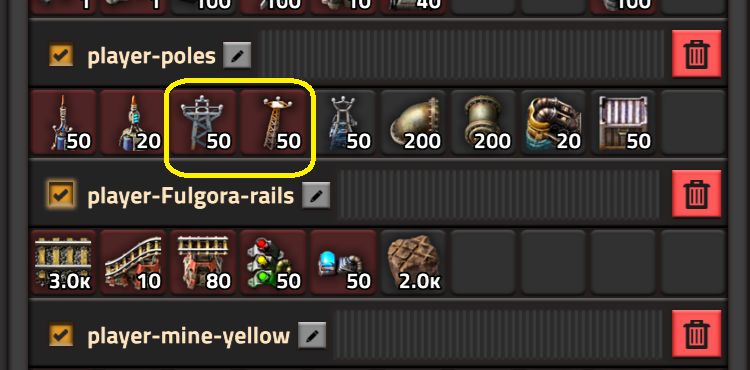
Items that are not in the inventory are marked in a different color.
- background color in the GUI.jpg (55.43 KiB) Viewed 949 times
For me the contrast is not enough.
Is there any way to change the background color or change the brightness?
Re: How to change the background color in the GUI for logistics requests?
Posted: Thu Mar 12, 2026 4:19 pm
by Bilka
It's probably one of the disabled_recipe_slot_tint or disabled_recipe_slot_background_tint utility constants.
Re: How to change the background color in the GUI for logistics requests?
Posted: Thu Mar 12, 2026 4:58 pm
by flame_Sla
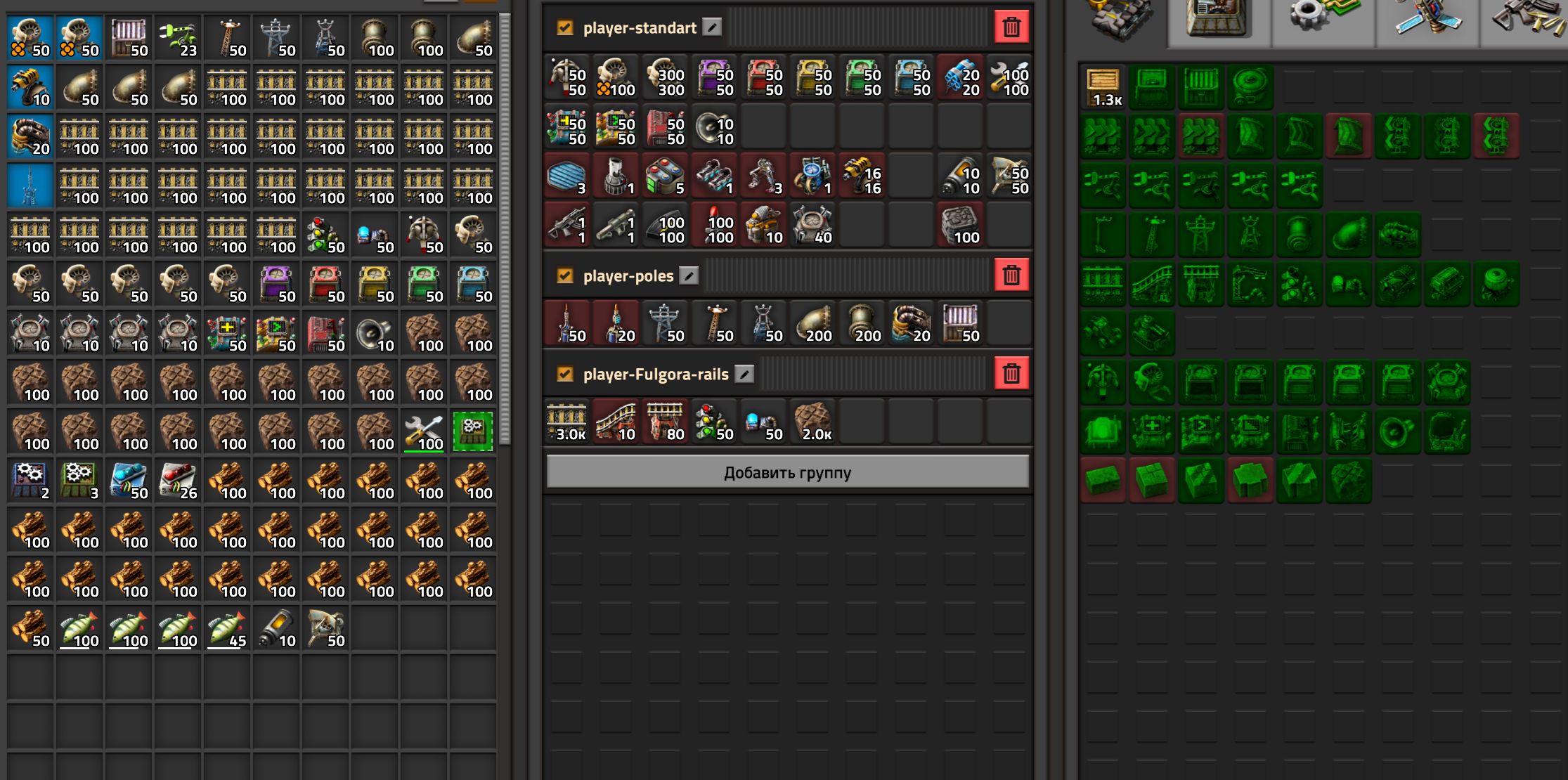
these constants affect the color of the right panel
- background color in the GUI_2.jpg (399.58 KiB) Viewed 924 times
Re: How to change the background color in the GUI for logistics requests?
Posted: Thu Mar 12, 2026 5:10 pm
by Osmo
flame_Sla wrote: Thu Mar 12, 2026 3:33 pm
Items that are not in the inventory are marked in a different color.
background color in the GUI.jpg
For me the contrast is not enough.
Is there any way to change the background color or change the brightness?
It part of the GUI style. You can see the name of the style by activating the gui inspect tool (Ctrl+F6) and hovering over the element, it'd be the topmost bold name on the right panel. You can then modify that style in data stage
Re: How to change the background color in the GUI for logistics requests?
Posted: Thu Mar 12, 2026 6:43 pm
by flame_Sla
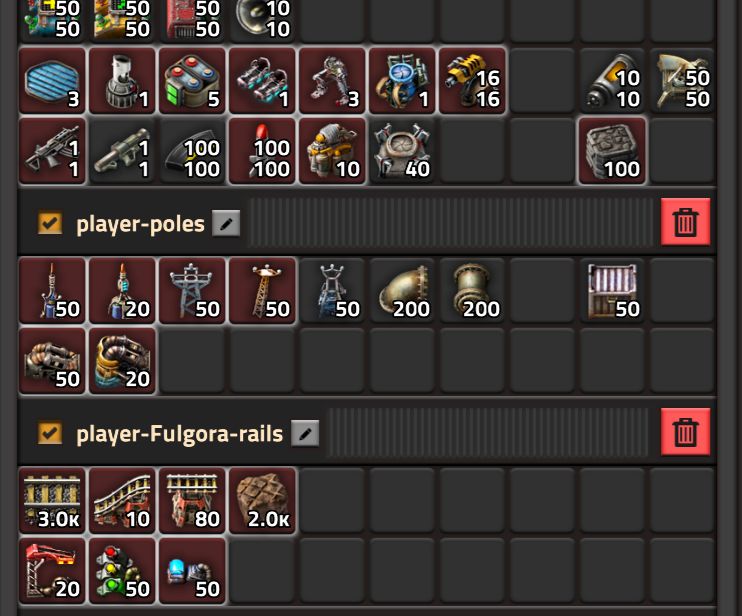
using the style I was able to add a frame around the slot
- background color in the GUI_3.jpg (86.1 KiB) Viewed 899 times
I couldn’t change the background color, it looks like the color is set somewhere else
this solves my problem, thanks everyone for your help