Page 1 of 1
Improve contrast of white virtual-signal icons
Posted: Wed Nov 19, 2025 8:05 pm
by dmke
TL;DR
The contrast of white virtual-signal icons on active selections and input fields could be improved.
What?
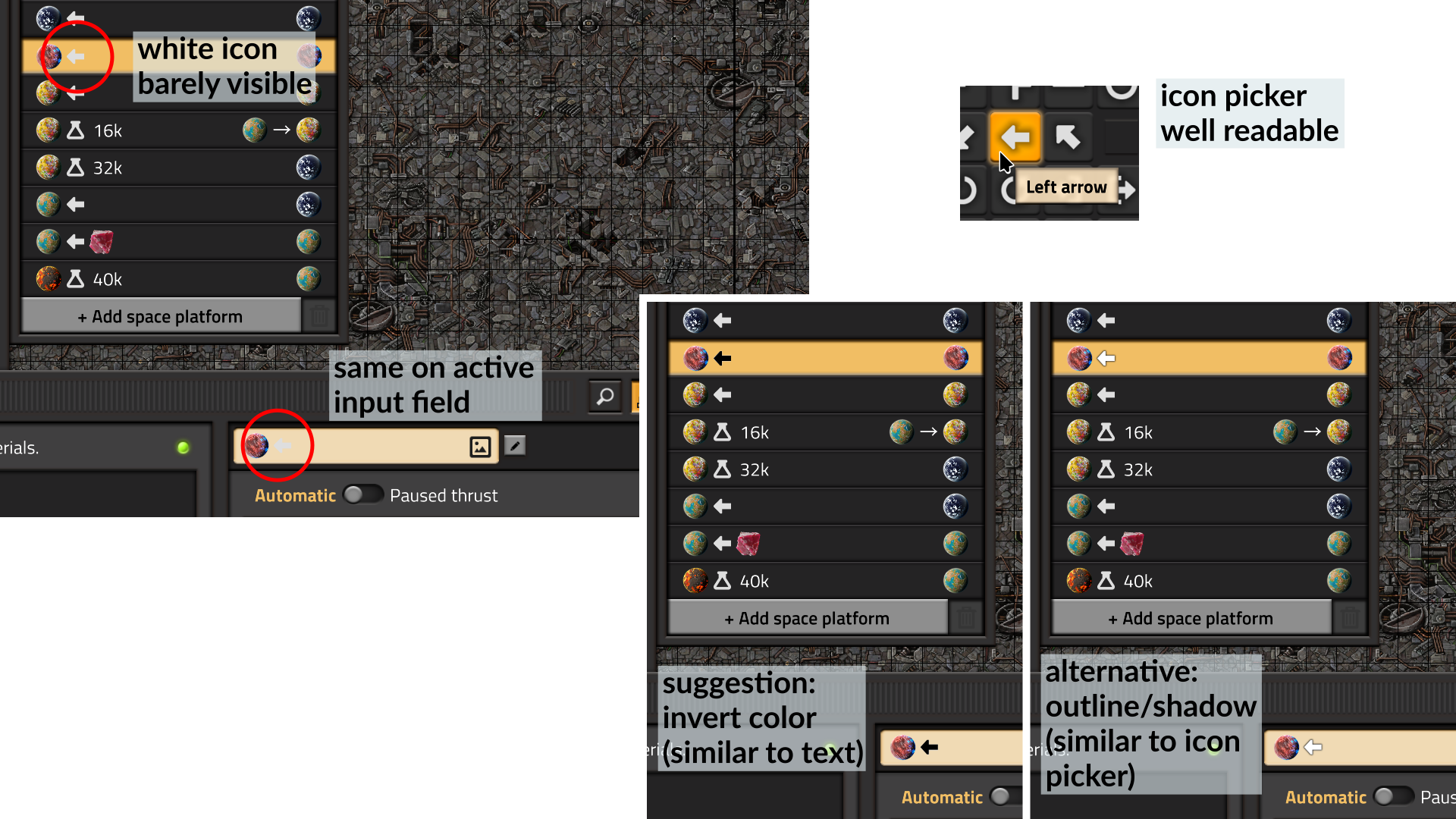
Currently, the white signal icons, like
[virtual-signal=left-arrow] have poor readability when used in (active) text input fields, or when they're shown on active lists.
There are basically two options to address this:
- Invert the color of the icon. This is similar to the text display, which changes the text color from white to black.
- Add a drop shadow or outline. This is similar to how the Select Icon picker displays the icons.
Here's an image which shows the issue on the top left, mockups for (a) and (b) on the bottom right, and a cropped screenshot of the Select Icon picker on the top right.
- factorio-white-signal-icons.png (1.13 MiB) Viewed 918 times
Why?
I would like to use these icons as mnemonic for space platforms. While this isn't limited to this use case, it eliminates guesswork.
Re: Improve contrast of white virtual-signal icons
Posted: Wed Nov 19, 2025 11:45 pm
by nethus
Yes please. Another place where the white rich text icons are nearly invisible is in the train schedule, when used as a station name for the current destination.
Re: Improve contrast of white virtual-signal icons
Posted: Thu Dec 18, 2025 7:44 pm
by dmke
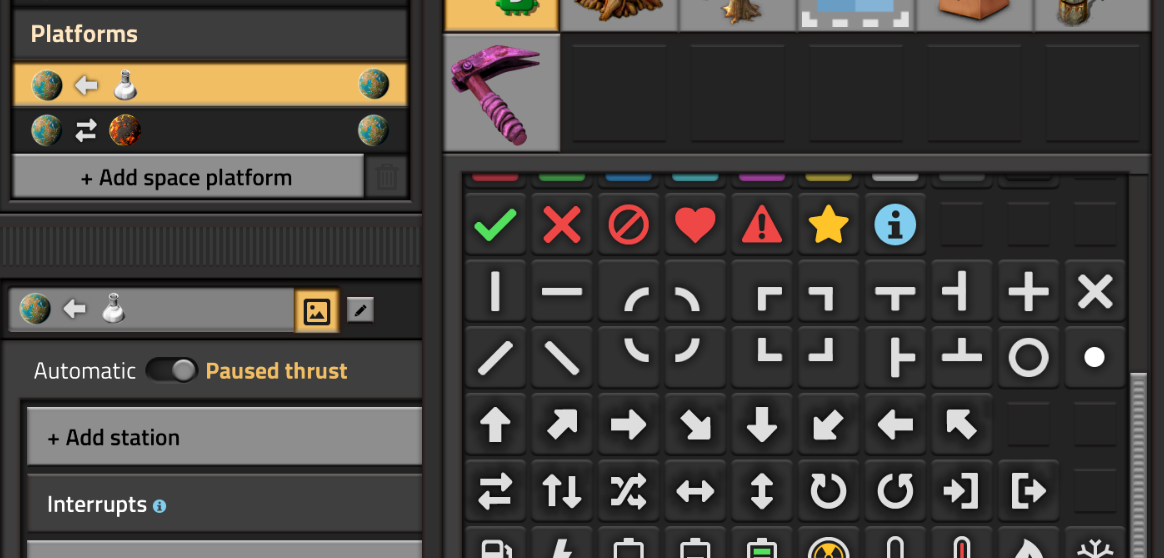
I've cobbled together a small/naïve script to add a drop shadow to some of the existing icons:
- with-dropshadow.png (170.86 KiB) Viewed 685 times
I think the icons are pretty readable on both the active/inactive list and the rich text input, although the shadow on the icon picker is a bit harsh. I think that can be remediated by using a dark gray shadow.
Here's the code (requires ImageMagick, CC-0, no warranty):
Code: Select all
#!/bin/sh

# exit on failure
set -e

# base directory of your factorio installation
FACTORIO_DIR="$HOME/path/to/your/factorio"

add-dropshadow() {
  local icon="$1"
  local size="$(identify -format '%wx%h' "$icon")"

  echo "$icon ($size)"

  # only create a backup on the first run, otherwise
  # you'd be backing up the previous iteration
  if [ ! -f "$icon.bak" ]; then
    cp "$icon" "$icon.bak"
  fi

  # the (image)magick happens here
  convert "$icon" \
    \( +clone -background black -shadow 100x4+0+0 \) \
    +swap -background none -layers merge +repage \
    -gravity center -extent "$size" \
    "$icon.tmp"

  mv "$icon.tmp" "$icon"
}

for icon in "$FACTORIO_DIR/data/base/graphics/icons/arrows/*.png" do
  add-dropshadow "$icon"
done