Page 1 of 1
Click & drag input signals on combinators
Posted: Sun May 18, 2025 3:58 pm
by robox
It would be handy to be able to click & drag input signals on combinators into the conditions & outputs signal boxes.
Re: Click & drag input signals on combinators
Posted: Sun May 18, 2025 4:48 pm
by eugenekay
Feature (mostly) Exists: use the "Q" key while hovering your mouse cursor over a Signal

Or you can rebind the "Pipette" action in Settings however you like.
Re: Click & drag input signals on combinators
Posted: Sat Jan 31, 2026 6:18 pm
by Hornwitser
Click and drag would be a lot more discoverable than hit random button on the keyboard while hovering over the the signal. There's just nothing in the UI that tells you or teaches you that you can do this.
Re: Click & drag input signals on combinators
Posted: Sun Feb 01, 2026 8:55 pm
by eugenekay
Hornwitser wrote: Sat Jan 31, 2026 6:18 pm
Click and drag would be a lot more discoverable than hit random button on the keyboard while hovering over the the signal. There's just nothing in the UI that tells you or teaches you that you can do this.
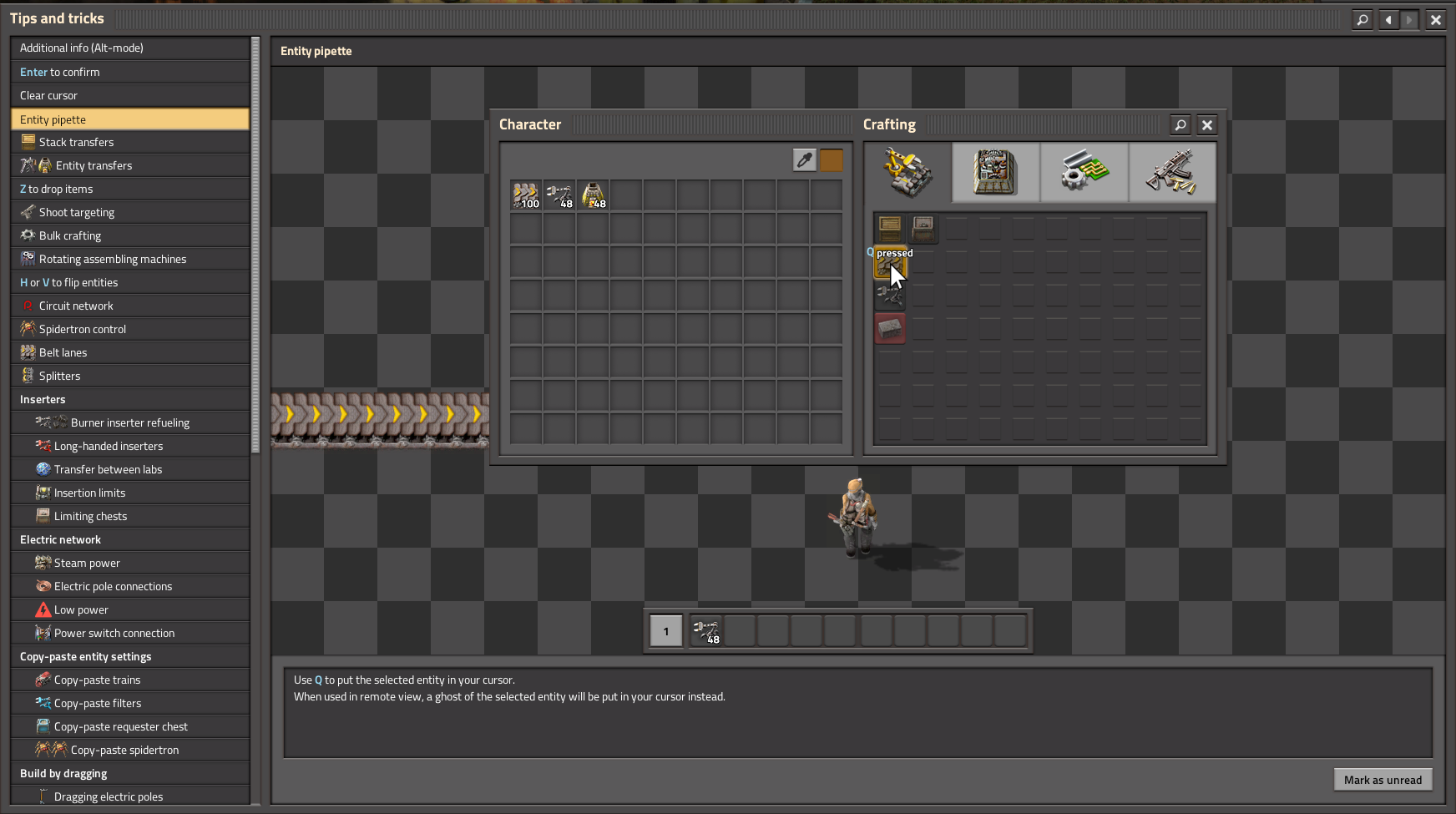
- 02-01-2026, 15-52-51.png (262.77 KiB) Viewed 604 times
The "Tips and Tricks" dialog's fourth entry "Entity pipette" demonstrates how to use the Pipette functionality. The Q key is located next to the WASD movement keys for quick access, which makes sense given its broad utility. It could be made more obvious that the Pipette works for Signals - not just Entities as suggested by the title of the Tip.
But it is most definitely taught to you by the in-game UI.