Page 1 of 1
Set Orbital Request "Set the filter" Consistency
Posted: Fri Nov 01, 2024 11:05 pm
by Brylic
TL;DR
Space Platform Set Filter menu is inconsistent with the rest of the menus in the game and should be double clickable.
What?
I suggest making it so that when you are using the Space Platform logistics menu that the planet can be selected by double clicking or by single clicking and confirming with a green checkbox as is the case with every other "Set the filter" menu.
As you can see, Inserter Set the filter for reference
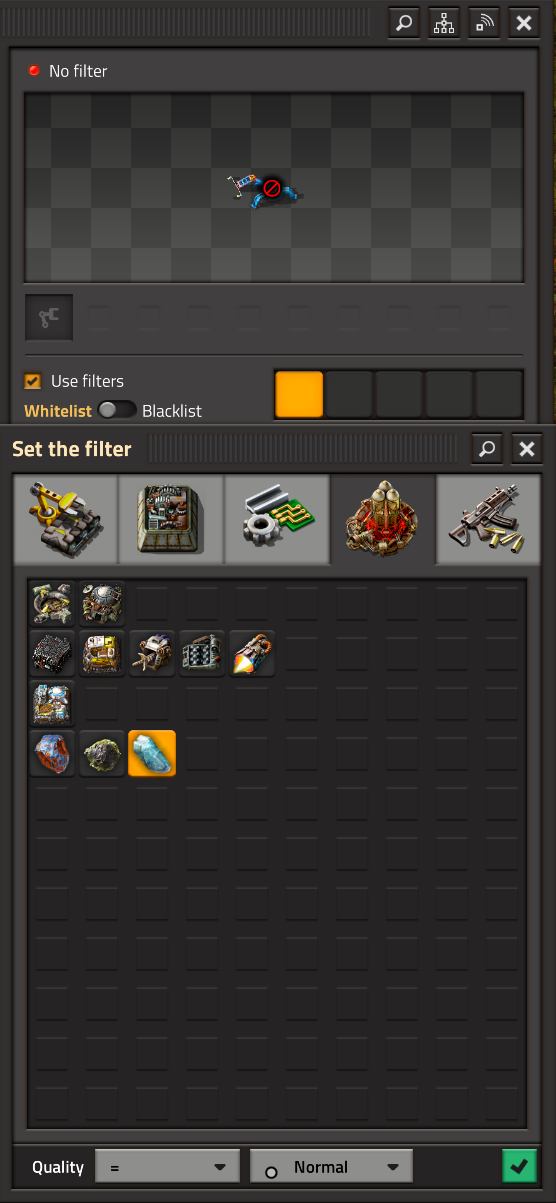
- 11-01-2024, 19-08-06.png (188.74 KiB) Viewed 464 times
And the Set orbital request + Set the filter
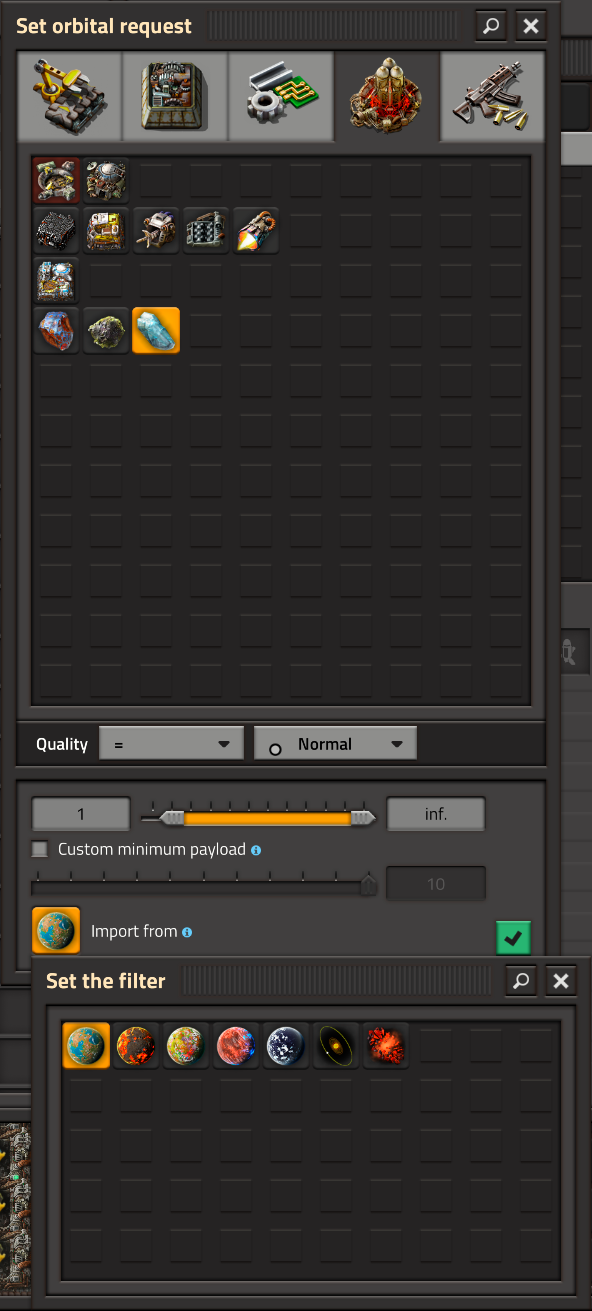
- 11-01-2024, 18-52-48.png (258.55 KiB) Viewed 465 times
Why?
Currently this is inconsistent with every "Set the filter selection" menu I have encountered which makes it quite annoying to set up logistics on Space Platforms not on Nauvis. On most menus you are able to double click the icon to select and lock it in or click once and click the green checkbox, however with the "Set the filter" menu when selecting the import planet for Space Platforms the selection only takes one click and there is no checkbox. Since the "Set request" popups are modal and not persistent, opening that creates a popup that is not within the boundary of the "Set request" popup meaning double clicking to set the planet using muscle memory from every other menu instead closes the logistics menu because it selects it on the first click and clicks out of bounds of the request menu on the second click.